Works UI/UX Design
Agency Client Portal
Lets a creative agency and its client take a project from brief to approved deliverable without email threads.
Small agencies and studios that deliver projects in rounds of review, and the clients who approve them.
Shown as Fieldwork Studio, an invented business, on sample data.
What it solves.
Briefs arrive by email, deliverables go out as attachments, feedback comes back in three threads and nobody is sure which version was approved. The product gives both sides one portal with a submitted brief history, versioned deliverables, comments attached to the exact version reviewed, explicit approvals and progress that cannot be faked by ticking a task.
- 01 Client brief
- 02 Agency tasks
- 03 Deliverable v1
- 04 Changes requested
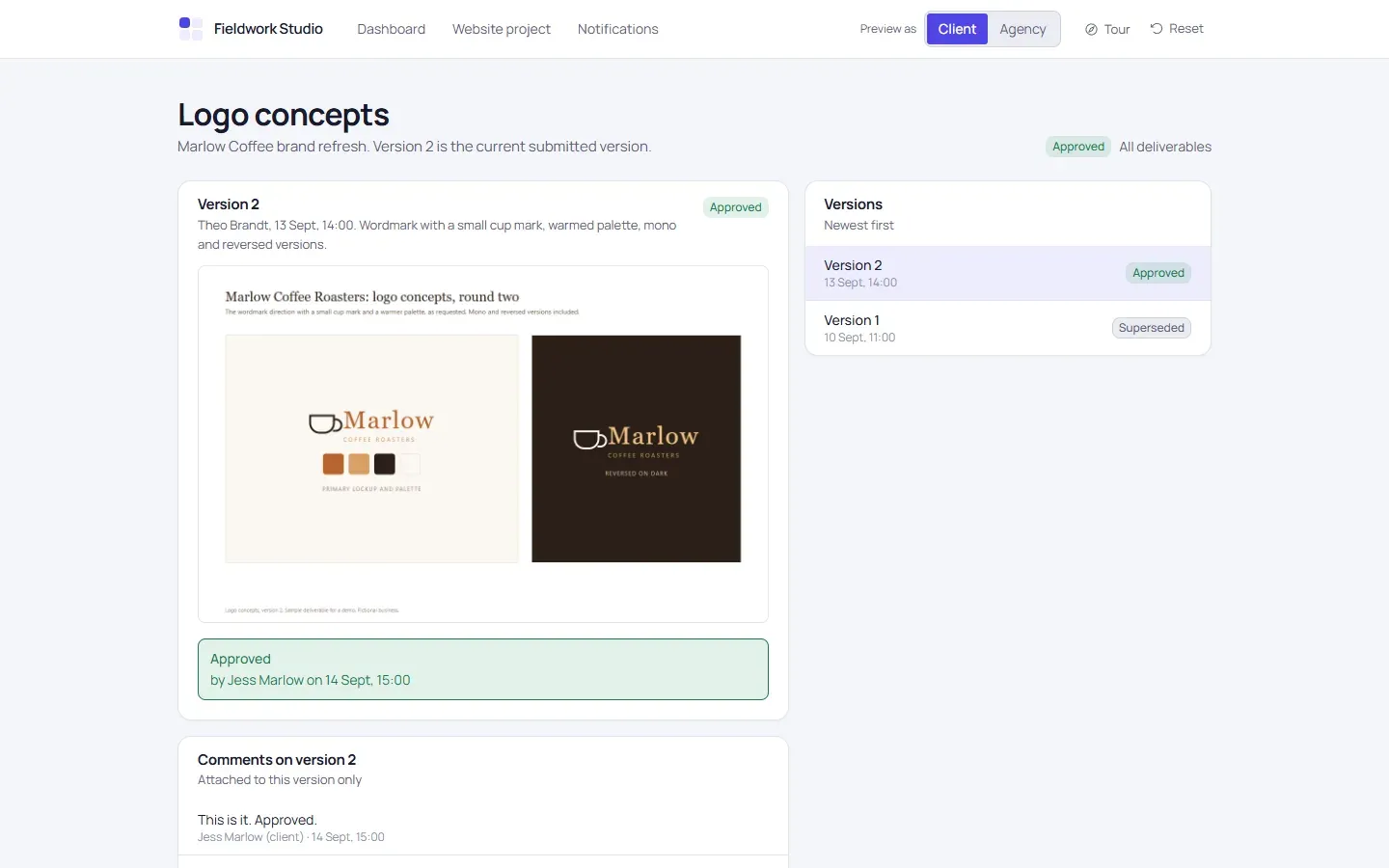
- 05 Approved v2
- Custom client portal
- Role-based access
- Versioned deliverables
- Approval workflow
- File handling
Try it in two to three minutes.
Follow the steps or explore on your own. Each step opens the demo at the right page, and the demo offers the same tour the first time you visit.
-
Step 1
Enter as the client
You start as Jess at Marlow Coffee. Open the website project and submit the brief that is waiting as a draft.
-
Step 2
Switch to the agency
Use the "Preview as" switch in the header. Add a task on the project overview, then open the "Homepage design" deliverable and submit version 1 using a bundled sample file.
-
Step 3
Request changes as the client
Switch back, open the deliverable and request changes. The comment is required and stays attached to version 1.
-
Step 4
Submit version two
As the agency, submit version 2 with the second sample file. Version 1 is superseded and the review task reopens.
-
Step 5
Approve as the client
Approval is an explicit, confirmed action recorded with your name and the time. Version 2 becomes immutable.
-
Step 6
Check progress
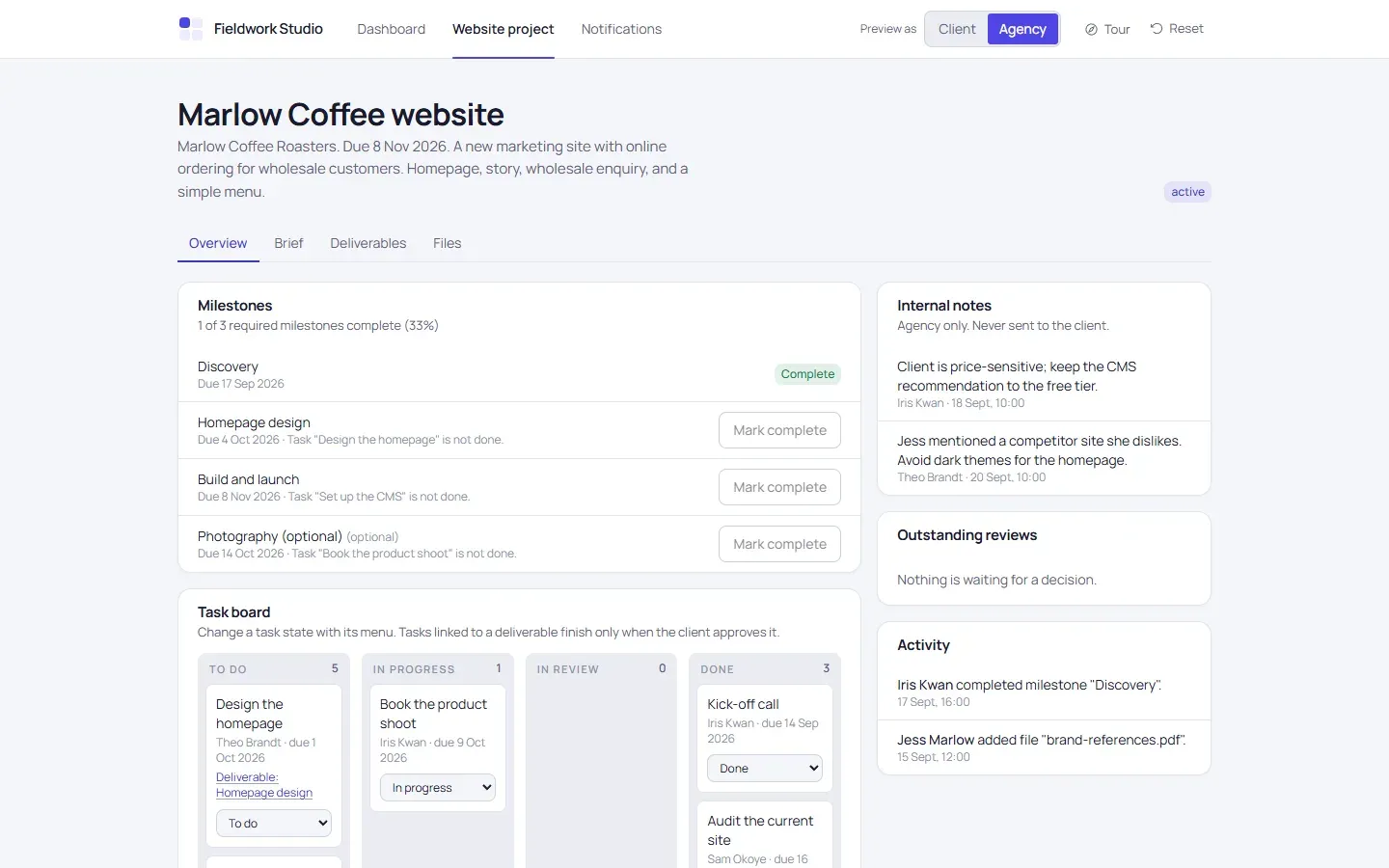
Back on the project, the linked task is done. The milestone completes once its other task is done too. Try opening the Fernhill project as the client: it is refused.
What’s on each screen.
-
Dashboard
Projects, status, due dates, outstanding reviews.
-
Project
Overview, milestones, task board, activity feed.
-
Brief
Editable draft, submission and submitted revision history.
-
Deliverables
File preview and download, version list, comments, request changes or approve.
-
Files
Project attachments and basic metadata.
-
Notifications
In-app events linking to the relevant item.
-
Preview as
Switch between the client and the agency inside one workspace.
What runs for real, and what doesn’t.
Nothing leaves the browser, and every name and figure in the demo is made up. A production build carries your brand and connects to your systems.
Runs for real
- Permissions are enforced on the server, not just by hiding buttons.
- Only the latest submitted version can receive a decision; approved versions are immutable.
- Uploads are checked by extension, type and file signature.
Simulated
- Notifications are in-app only; no email is sent.
- The "Preview as" switch stands in for two separate sign-ins.
A production build adds
- Real authentication and client invitations
- Subscription billing
- Client email
- Real-time chat and live document co-editing
- Time tracking and e-signatures
- Private file storage with short-lived signed links
Have a workflow like this one?
Tell us how close it is, and what your business actually needs. The first session is free and thirty minutes.
Or see the other products we’ve built.